Start blank or edit an example · Manual templates · No video generation or auto-save
Editable starting points
Find a starting point for your shot.
Find a scene or reference-image motion plan for your project. Review the source-image requirements, then edit the movement and camera direction. These templates create text plans; generate and review the video in your chosen provider.
24 single-shot starters · 8 text scenes and 16 image motion templates
No starters match those filters. Try a broader phrase or clear the filters.
01
Text-to-video
Product reveal
A simple studio shot of a ceramic mug. Replace the product and setting before generating.
Before you start: No input image is required. Name one product and a clear tabletop setting.
8 editable plans with shot purposes, source references, final frames and edit notes.
3 shots · Image motion
Product photo showcase
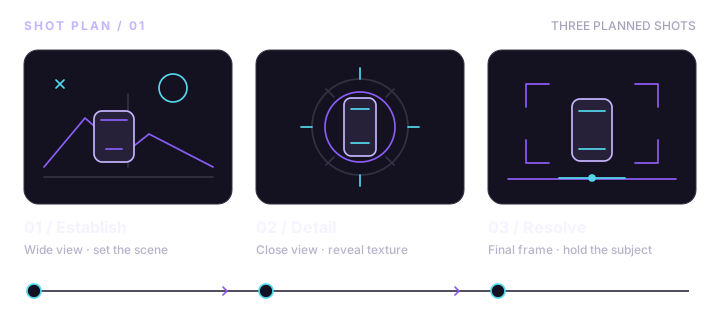
Three restrained product shots: establish the item, show one detail, then hold a clean closing frame.
Prepare: Prepare three approved photos of the same item: full product, one detail and a final wider composition. A suitable crop can be reused when it preserves visible detail; do not ask the model to invent the reverse side.
Four small movements built around approved full-length, fabric-detail and portrait photographs.
Prepare: Prepare full-length, fabric-detail, waist-up and closing photos of the same person and outfit. Each image supplies its own pose; use distinct approved photos instead of requesting a new unseen angle.
Four independently animated room photos arranged as an entrance, wide view, detail and window-side ending.
Prepare: Prepare four photos of the same room: entrance view, wide room view, one furniture detail and a window-side view. Separate photos provide the new viewpoints; the motion prompt does not reconstruct a room beyond the source image.
Four small actions: introduce the setup, pour coffee, show steam and hold the finished cup.
Prepare: Use one setup reference or written style guide for the cup, server and wooden table. For text-to-video, these are manual continuity notes; generate each shot separately and compare the props before editing.
Four selected trip photos create a simple place, path, detail and sunset story through gentle motion and cuts.
Prepare: Select four photos from the same location or trip: place overview, path or street, one local detail and a final scenic view. The supplied images define each location; do not request a continuous camera journey between them.
Five overhead shots separate setup, edge alignment, fold, crease and final result into simple steps.
Prepare: Use a real photo or sketch for each paper state: flat sheet, aligned edges, bent sheet, pressed crease and final folded sheet. This is a visual draft; verify the actual fold sequence before sharing it as instruction.
Three subtle portrait movements form a quiet profile sequence without speech or complex gestures.
Prepare: Use three approved photographs of the same person: a medium portrait, a closer portrait and a closing portrait with space for a caption. Each source image defines its pose and face; check the rendered identity manually.
Three device-photo shots prepare a clean intro and outro around an editor-added real screen recording.
Prepare: Prepare an approved device overview photo, a close screen-facing photo and a closing device photo. Use a real screen recording or approved static UI overlay for accurate app behavior and text; this plan does not generate functioning UI.